
LinkedIn OS
The Claude skill that grows your LinkedIn on autopilot

Growing on LinkedIn is not easy.
But once it’s done right, it becomes one of the most powerful and valuable assets you can own in the entire world.
A successful LinkedIn profile brings you leads, sales, clients, connections, fame — and so much more.
The problem?
The process of growing on LinkedIn is not as simple as you think.
So let me briefly tell you what I’ve learned — and what the actual process of growing on LinkedIn looks like.
Unlike any other social platform, LinkedIn is deeply professional and incredibly valuable. But there are a few things you need to understand before you do anything on it.
Here’s the big one:
LinkedIn is a company of its own.
And LinkedIn only supports you — and pushes your growth — if you support LinkedIn first.
How do you support LinkedIn?
By keeping its users on the platform longer. That’s it. That’s the whole game.
So if I break down the real process, it looks like this:
Research the top creators in your niche
Comment and engage with their posts every single day
Post consistently, one by one
Study which posts worked — and double down on what’s working
And every single day, engage with large audiences
That’s already a 60-day grind — often without any real visible progress, to be honest.
So to tackle all of this, I built something exceptionally powerful.
It’s called LinkedIn OS.
It’s a skill for Claude Cowork, and it runs the entire process on autopilot.
Let me give you some context on why this matters.
I’ve talked about this before — but back in 2023, there was a platform called Kleo.
It’s still a great platform to grow on LinkedIn today. But back then, it was a free browser extension that showed you everything — which posts from big creators were actually working, which ones were doing well right now.
Users took full advantage of it. They studied those posts, created their own related versions, and went viral.
Kleo still exists, and it still works really well — but it has changed the whole process altogether.
So I built something just as powerful — right inside Claude.
And honestly, this is less of a skill and more of a product that could stand on its own.
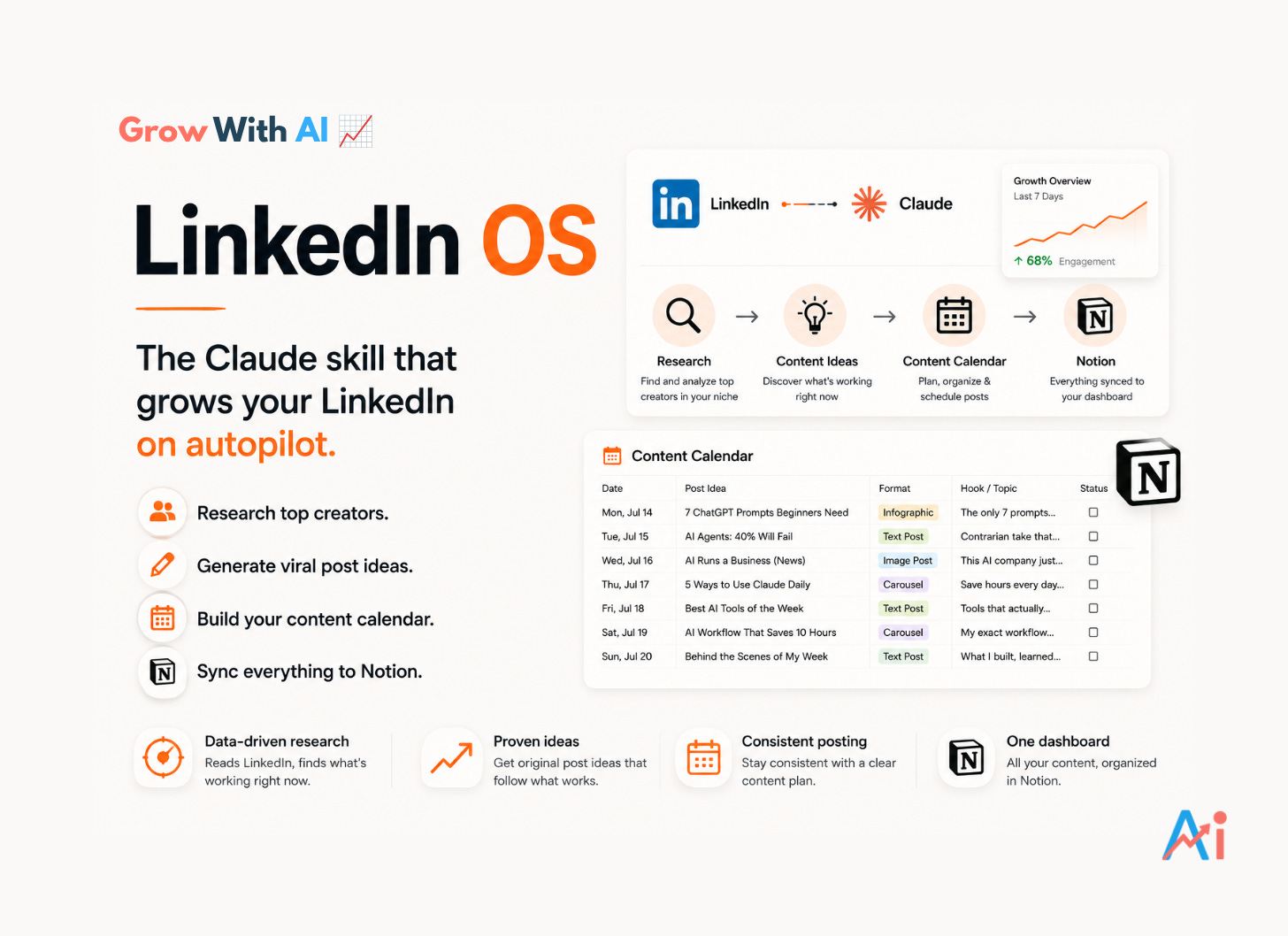
In short — LinkedIn OS researches the biggest creators in your niche, finds the exact posts that are outperforming, turns them into ready-to-use post ideas for your profile, and saves everything into a living content calendar inside your Notion.
The full workflow — step by step, with my own real run of it — is just below.
💡 I’ve also been posting a lot of powerful project and skill ideas lately — because this is where the real leverage is right now. A few of them you can replicate instantly. Keep an eye on those.
What’s Included
Here’s everything inside this edition:
The complete walkthrough of LinkedIn OS, start to finish
My own real use case — the full workflow I ran, with screenshots
Personal tips baked in throughout
Exactly how to set it up and use it
The download link for LinkedIn OS, at the very bottom
The Complete LinkedIn OS Walkthrough
Before we start, two things LinkedIn OS needs from you:
You’re logged into LinkedIn in Chrome
The Claude Chrome extension is installed and turned on
That’s it. That’s the whole setup.
And one thing you should know upfront:
LinkedIn OS only reads LinkedIn. It never touches your account.
No auto-likes. No auto-comments. No auto-follows.
That’s exactly what gets accounts flagged — so all the engaging stays in your hands. LinkedIn OS just tells you exactly what to do.
💡 Personal tip: This read-only design isn’t a limitation — it’s the feature. Manual engagement genuinely converts better, and your account stays 100% safe. Never trust any tool that engages on your behalf.
Step 1
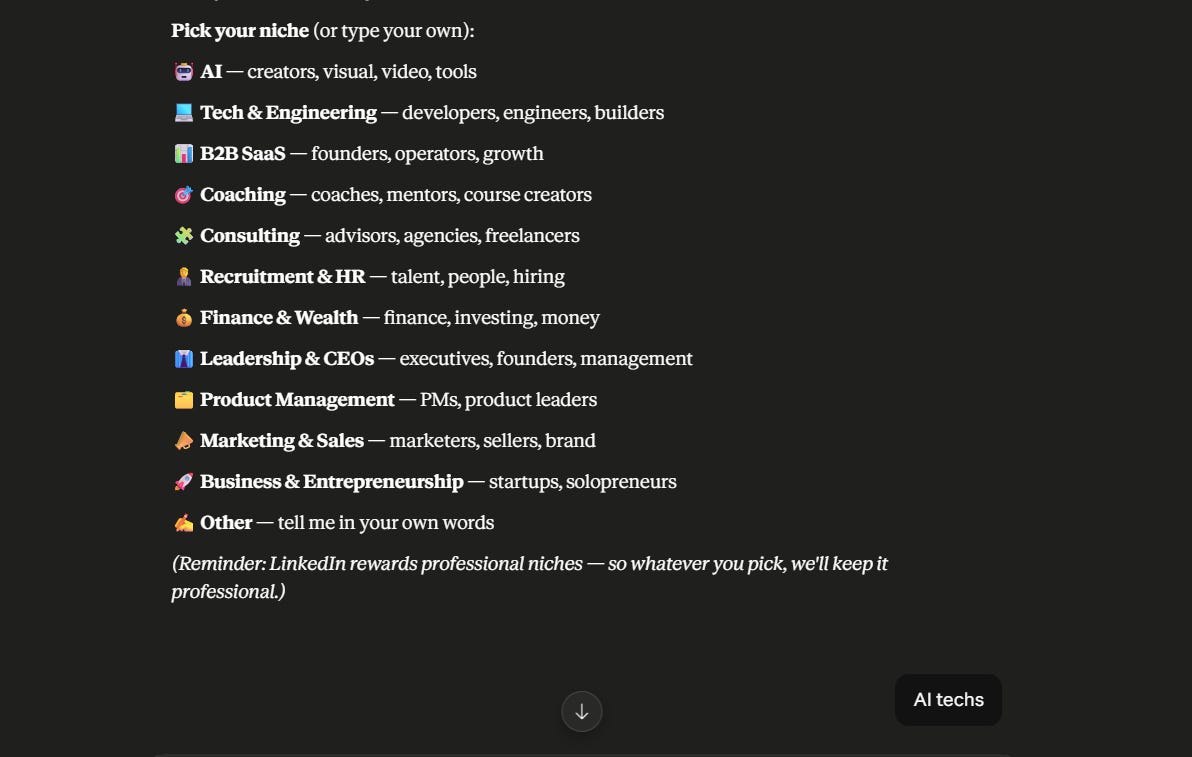
It Asks Your Niche
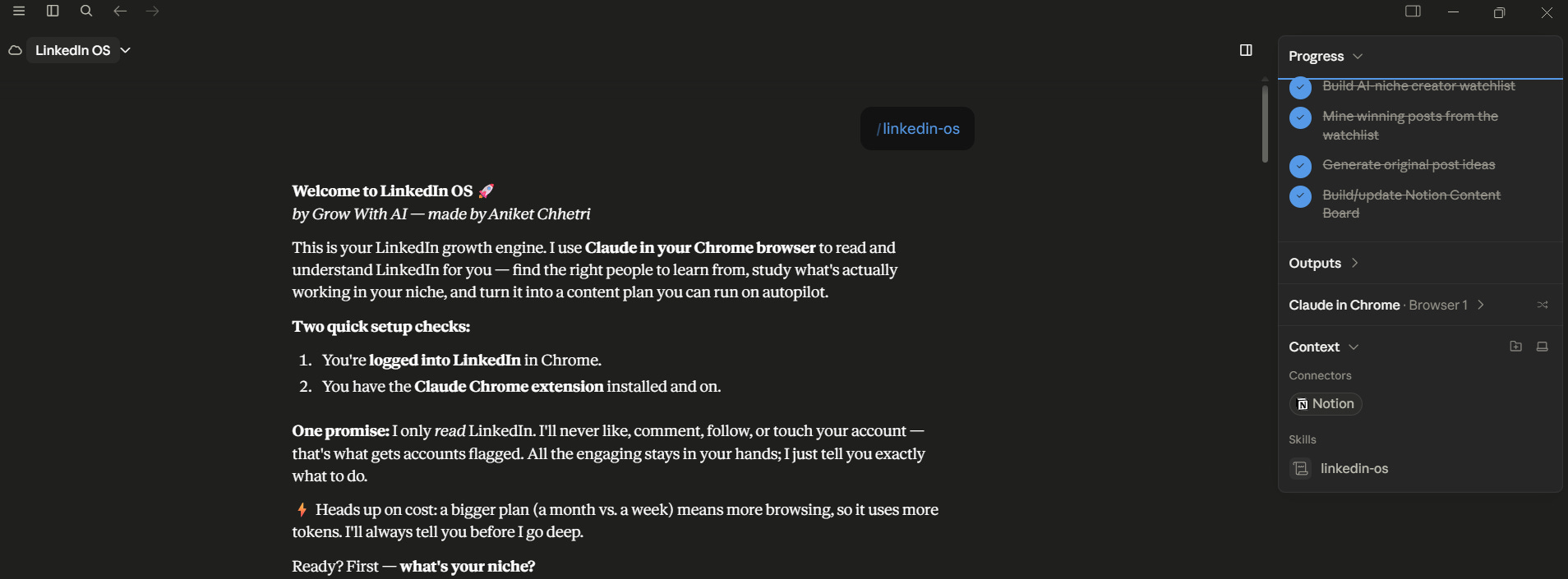
The moment you run LinkedIn OS, it greets you and asks one question:
What’s your niche?
It gives you a full menu to pick from — AI, Tech, B2B SaaS, Coaching, Consulting, Finance, Marketing, Leadership, Product, and more. Or you just type your own.
I picked AI tech.
One thing it reminds you right away — LinkedIn rewards professional niches. So whatever you pick, it keeps the angle professional.
Step 2
It Reads LinkedIn For You
This is where it gets powerful.
LinkedIn OS connects to Claude in your Chrome browser and starts reading LinkedIn live — logged in as you, seeing what you’d see.
And here’s what I loved watching:
It doesn’t just run one lazy search. It works like a real researcher.
It searched for top-performing AI content
Threw away low-engagement noise
Switched queries when results were thin
Verified real profiles instead of guessing
And even skipped a creator when the profile match was ambiguous — rather than adding a wrong one
It also watches its own token usage. Mid-research, it told me it was keeping things lean and aiming for a strong 12–15 creators instead of scrolling endlessly.
💡 Personal tip: This matters more than it sounds. Browsing burns tokens fast. LinkedIn OS is built to stay lean — it tells you before it goes deep, and a one-week plan costs far less than a one-month plan. Start with a week.
Step 3
Your Creator Watchlist
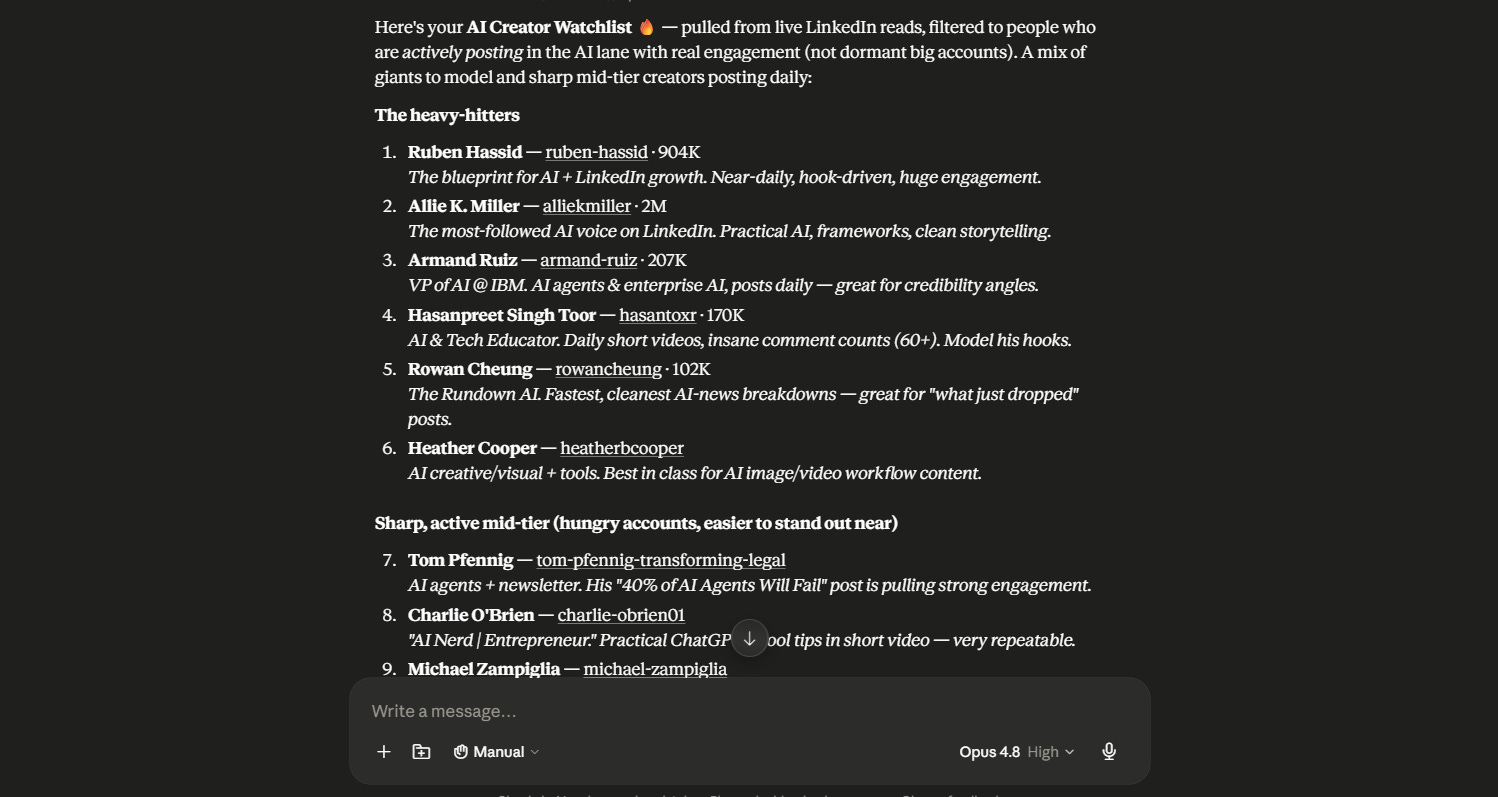
A few minutes later, it handed me the single most important asset in LinkedIn growth:
A verified watchlist of active creators in my niche — with real engagement, pulled from live LinkedIn reads.
Not dormant big accounts. People actually posting, right now.
And it split them into two categories:
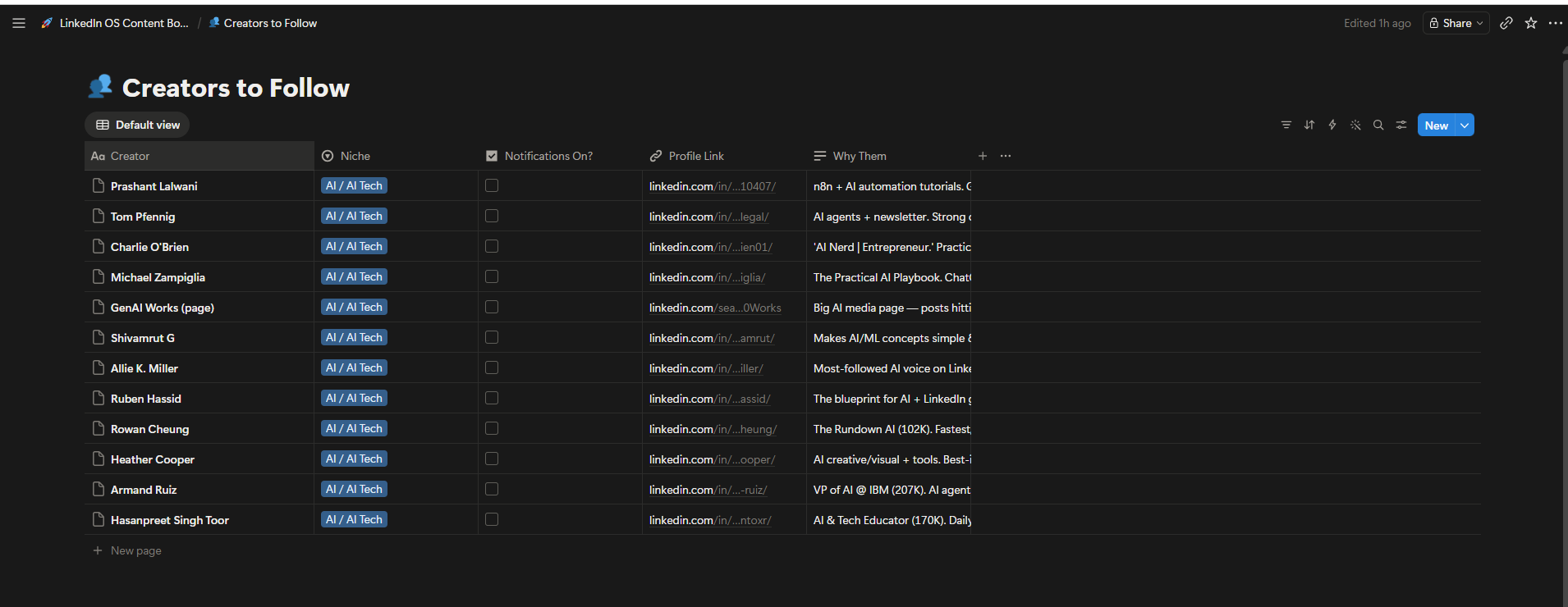
🏆 The Heavy Hitters — the giants to model:
Ruben Hassid — 904K · the blueprint for AI + LinkedIn growth
Allie K. Miller — 2M · the most-followed AI voice on LinkedIn
Armand Ruiz — 207K · VP of AI @ IBM, posts daily
Hasanpreet Singh Toor — 170K · daily videos, insane comment counts
Rowan Cheung — 102K · The Rundown AI, cleanest news breakdowns
Heather Cooper — AI visual/tools content, best in class
⚡ The Risers — sharp mid-tier accounts, easier to stand out near:
Tom Pfennig, Charlie O’Brien, Michael Zampiglia, Prashant Lalwani, Shivamrut G — plus a bonus media page pulling 800+ reactions per post
Why does this list matter so much?
Because these are the people you engage with every day — so their audience starts discovering you.
LinkedIn OS even hands you the exact checklist:
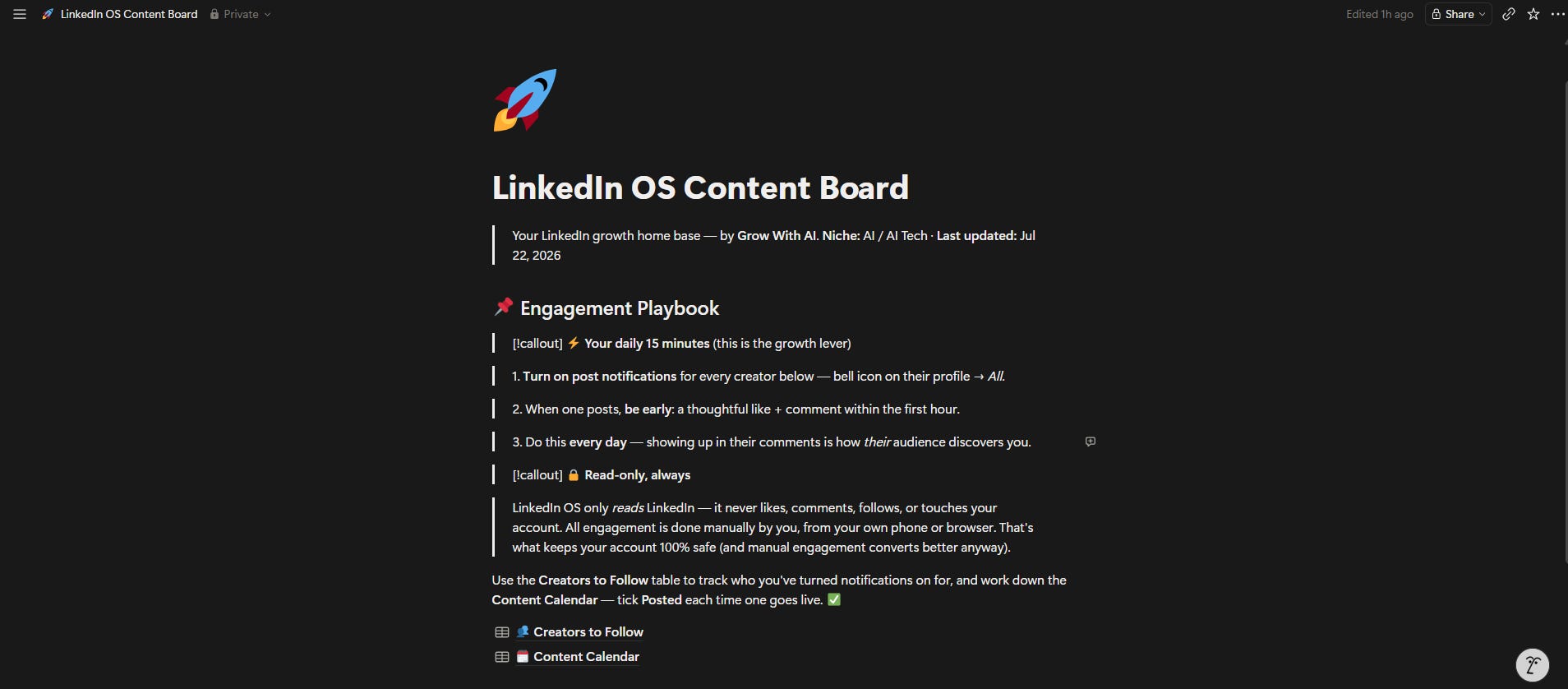
Turn on post notifications for every creator (bell icon → All)
When they post, be early — a thoughtful like + comment in the first hour
Do this every single day
That’s your daily 15 minutes. That’s the entire engagement game, solved.
Then it asked me one simple question:
“Want me to research what’s actually working across these creators and build your original content plan?”
And right after — how many posts I wanted.
I said 7 posts across 1 week. One post a day. Clean and lean.
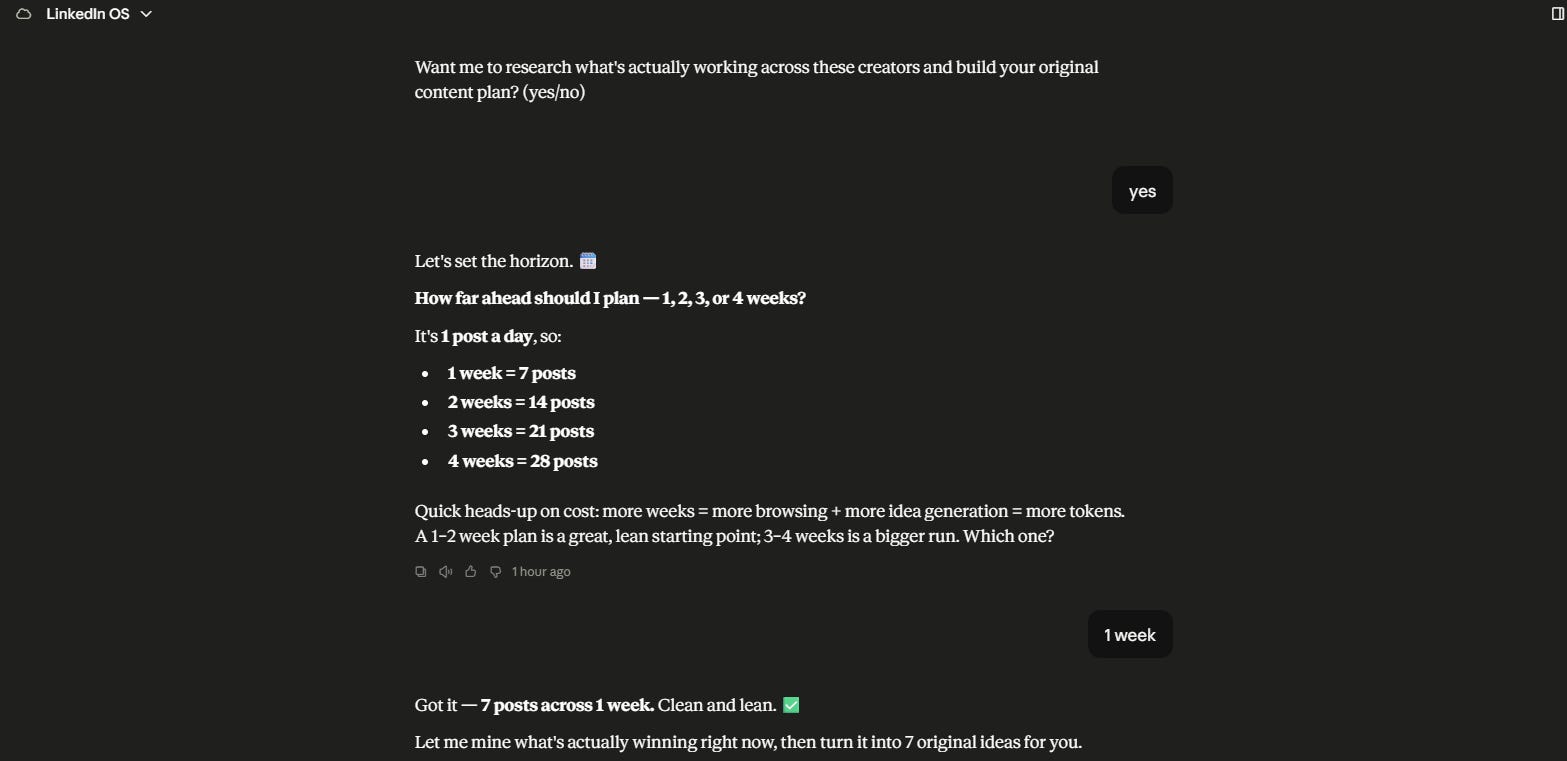
💡 Personal tip: This choice controls your token cost. A 1-week plan is a lean run. A 30-day plan means much deeper browsing. Start with a week — you can always run it again.
Step 4
It Mines What’s Actually Working
Then I said yes to the next phase — and this is the Kleo moment.
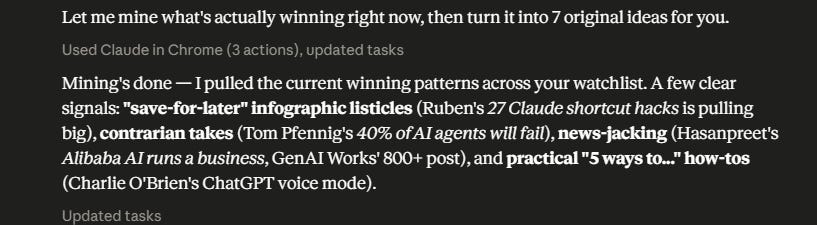
LinkedIn OS went back into LinkedIn and studied the posts across my watchlist that were performing better than average. Not just any posts. The winners.
It came back with the current winning patterns in my niche:
Save-for-later infographic listicles — Ruben’s “27 Claude shortcut hacks” pulling big
Contrarian takes — “40% of AI Agents Will Fail”
News-jacking — an AI-runs-a-business post pulling 800+ reactions
Practical “5 ways to...” how-tos — repeatable, every single time
This is the intelligence that used to take creators 60 days of posting and guessing.
LinkedIn OS pulled it in one run.
Step 5
Your 7-Day Content Plan
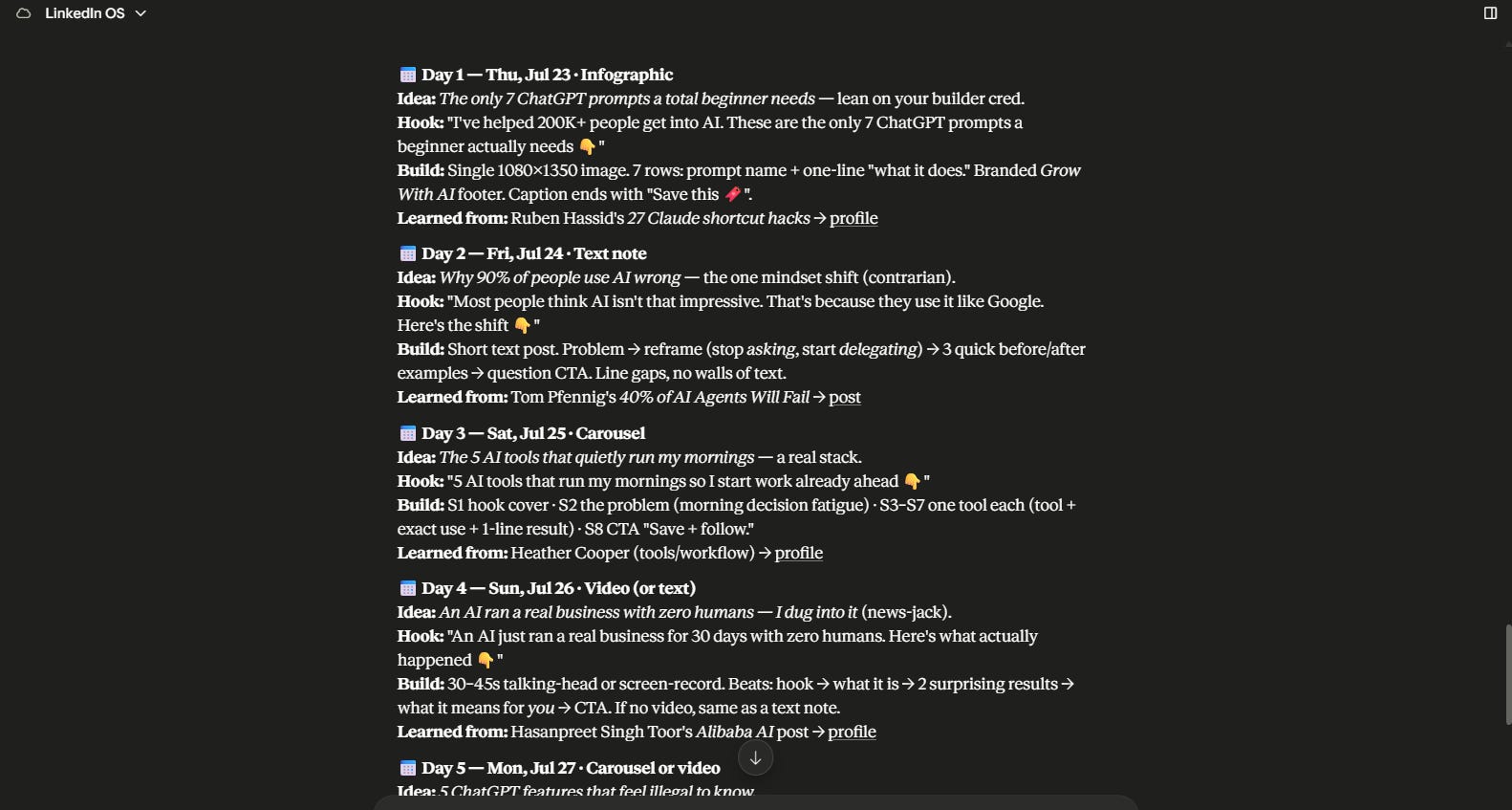
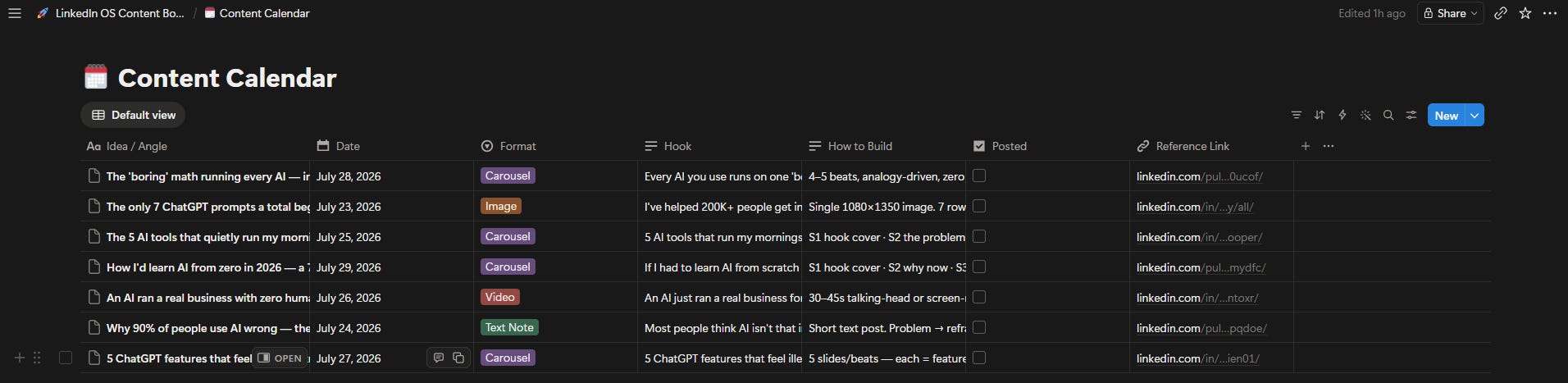
Then it turned all of that research into 7 original post ideas — one per day, fully dated.
And every single idea came with:
The format — infographic, text note, carousel, or video
The exact hook, written and ready
A build guide — slide-by-slide or beat-by-beat
And the creator + post it learned from, linked
For example, my Day 1:
📅 Day 1 · Infographic — “The only 7 ChatGPT prompts a total beginner needs”
Hook written. Image dimensions specified. Caption CTA included. Modeled on what’s working this week.
These aren’t copies. They’re original angles inspired by proven winners — which is exactly how the biggest creators actually operate.
💡 Personal tip: The ideas are timely on purpose. They reference what’s hot this week — so post them while the angles are warm. Don’t sit on them for a month.
Step 6
Everything Lands in Your Notion
Then one word — “add” — and LinkedIn OS built my entire dashboard.
It checked if I already had a board. I didn’t — so it created one:
LinkedIn OS Content Board, with three sections:
📌 Engagement Playbook — your daily marching orders
👥 Creators to Follow — all 12 creators, with a Notifications On? checkbox to tick
🗓️ Content Calendar — all 7 posts, dated, reading top-to-bottom like a real calendar, with a Posted checkbox
And here’s the best part — it’s a living dashboard. Run LinkedIn OS again next week, and it appends. Same board, growing over time. Your entire LinkedIn operation in one place.
How To Use It
Once installed, the flow is simple:
Open Claude Cowork with the Chrome extension on
Make sure you’re logged into LinkedIn
Run the skill and pick your niche
Confirm your post count (start with 7 posts / 1 week)
Say add when it offers the Notion board
Then do your part — bells on, engage daily, post daily, tick the boxes
Run it again whenever your calendar runs dry.
💡 Personal tip: LinkedIn OS hands you ideas, hooks, and build guides — then stops on purpose, to keep each run lean. When you want a post fully written or a carousel fully designed, that’s a separate run. Lean runs = more runs.