
These 8 Extensions Make NotebookLM 10x Better
I added every Alex Hormozi video to NotebookLM in 2 minutes.

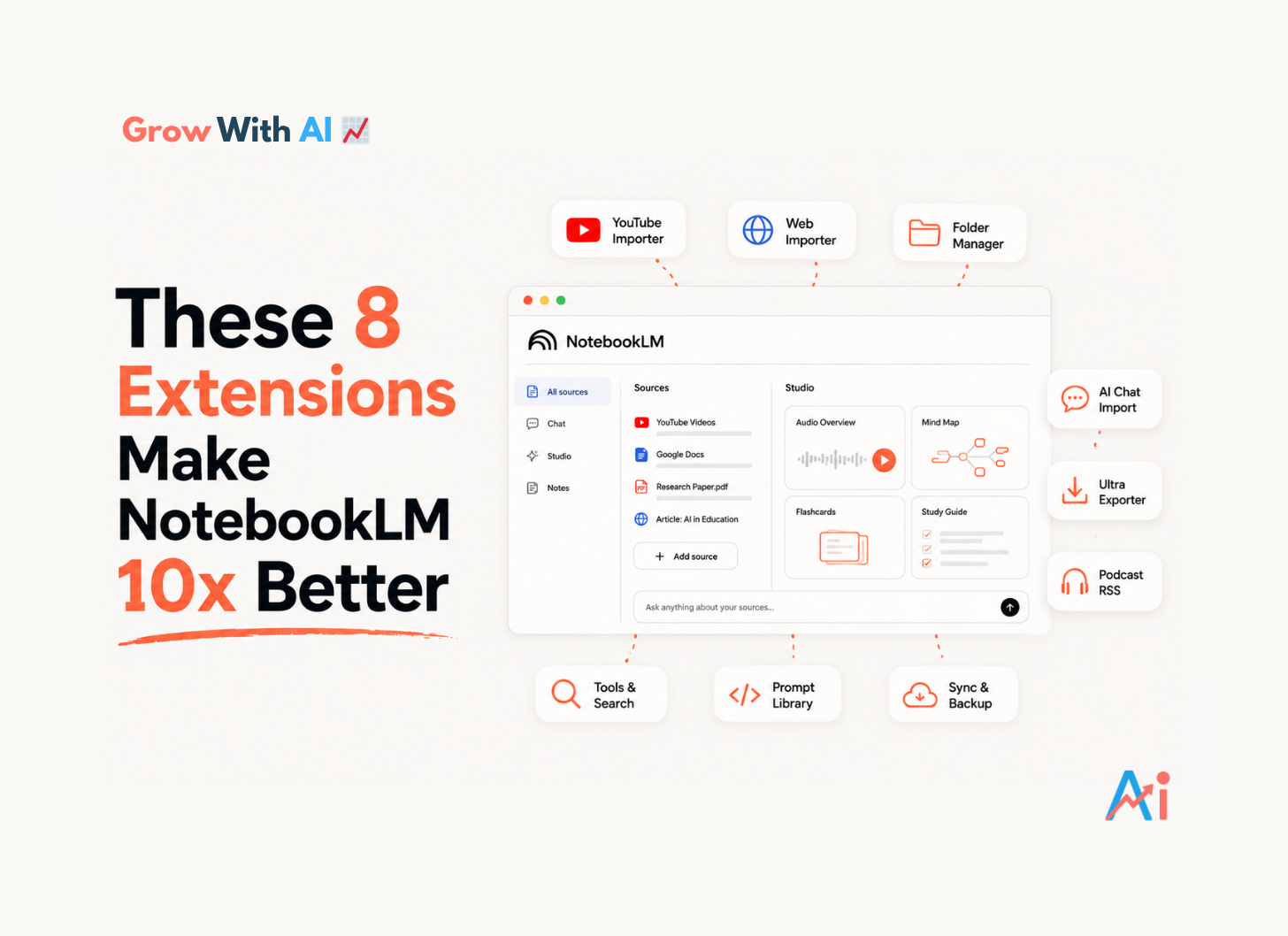
NotebookLM is one of the best AI tools available right now. I use it almost every day.
But let’s be honest, it has real gaps. No folders. No easy way to get content in fast. No way to export your work cleanly. Mind maps you can’t edit. An interface that gets messy the moment you have more than 20 notebooks.
Google built something exceptional. The community built what Google didn’t.
These Chrome extensions close those gaps. Some are simple. Some are deep. All of them are worth knowing about.
What’s in This Edition
8 extensions that fix NotebookLM’s biggest limitations
What each one actually does, in plain English
Honest notes on pricing and any quirks worth knowing
Direct links to every extension
A bonus workflow for cloning any YouTube creator’s entire library into NotebookLM
Let’s get into it.
The Extensions
1. YouTube to NotebookLM


The problem it solves: Adding YouTube videos to NotebookLM one by one is tedious. And importing a whole channel? Impossible natively.
This extension adds a button directly under any YouTube video so you can send it to a notebook in one click. But the real power is channel and playlist importing. Go to any creator’s channel page, click the extension, and pull their entire video library in. NotebookLM extracts every transcript automatically.
That’s when it stops being a convenience tool and starts being a research superpower.
💡 I use this any time I find a creator whose entire library is relevant to what I’m working on. Instead of copying URLs one by one, their whole channel is in my notebook in two clicks.
Cost: Free 🔗 YouTube to NotebookLM — Chrome Web Store
2. NotebookLM Web Importer
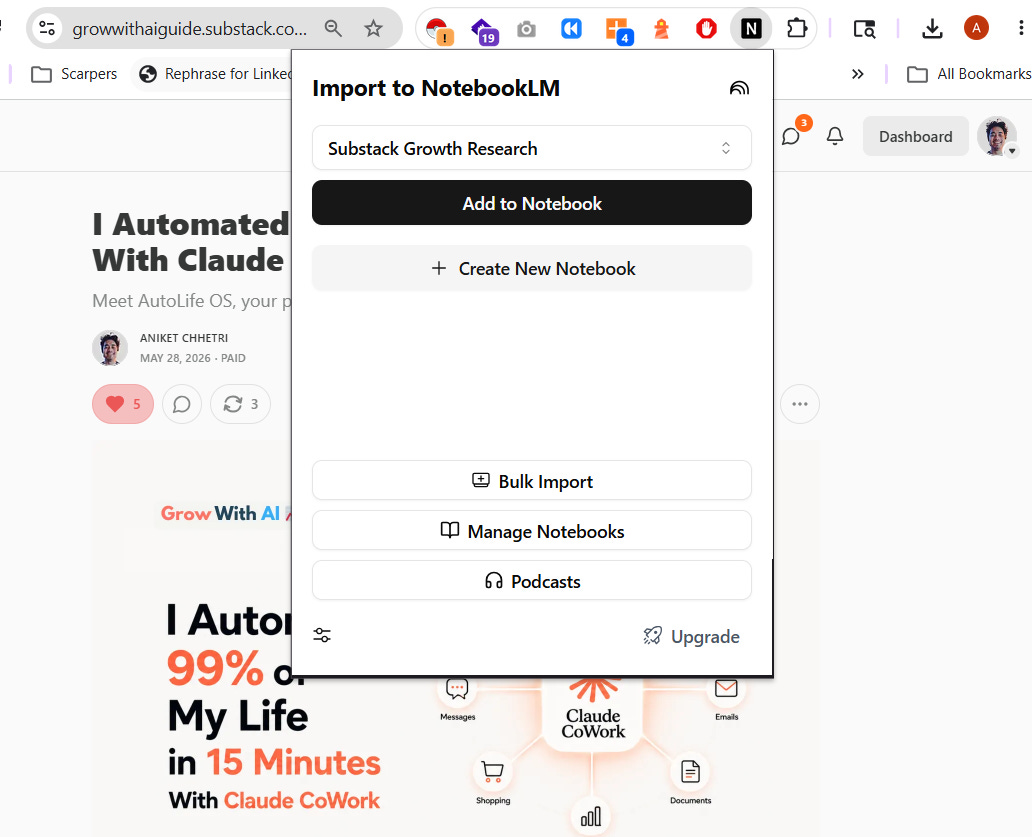
The problem it solves: Saving web articles and blog posts to NotebookLM requires copying URLs manually. There’s no quick capture.
Click the extension on any webpage and it goes straight into your chosen notebook. No copy-pasting. No tab switching. It also supports bulk URL imports — paste a whole list of links and import them all at once.
💡 This one is updated constantly. Version 3.29 dropped on May 27, 2026. One of the most actively maintained extensions in this whole list.
Cost: Free 🔗 NotebookLM Web Importer — Chrome Web Store
3. Bookshelf — Folder Manager for NotebookLM
The problem it solves: NotebookLM has no native folders. Your dashboard becomes a flat, unmanageable list fast.
Bookshelf adds a collapsible sidebar with drag-and-drop folders (called bookshelves), search, sort, dark mode, and cloud sync. New notebooks land in an “Uncategorised” bucket automatically. You can also navigate between folders from inside any open notebook — one click, no going back to the dashboard.
⚠️ A few users report that cross-device sync can be inconsistent. Works reliably on a single device. Test it across multiple machines before fully committing.
Cost: Free 🔗 Bookshelf — Chrome Web Store
4. NotebookLM Tools
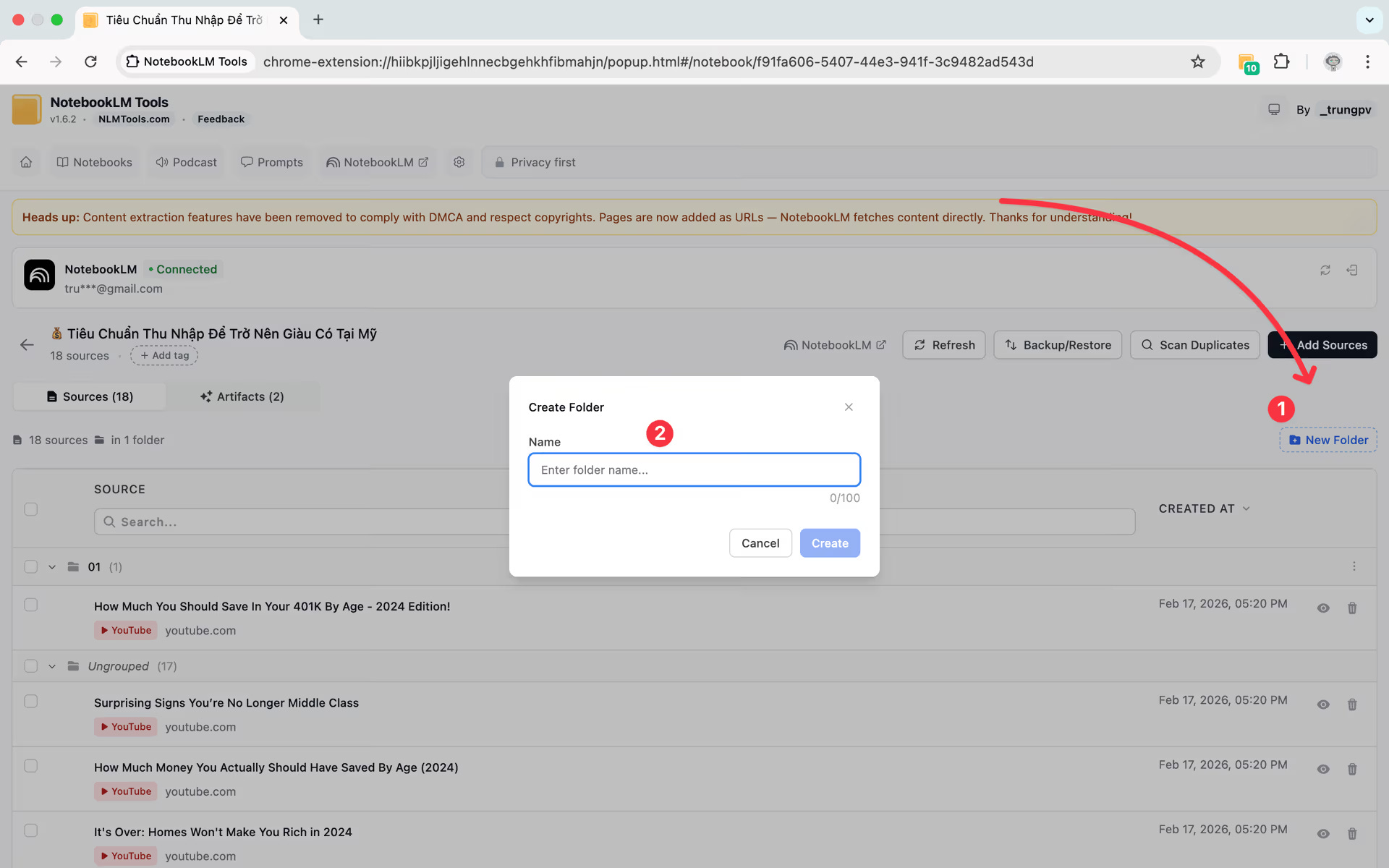
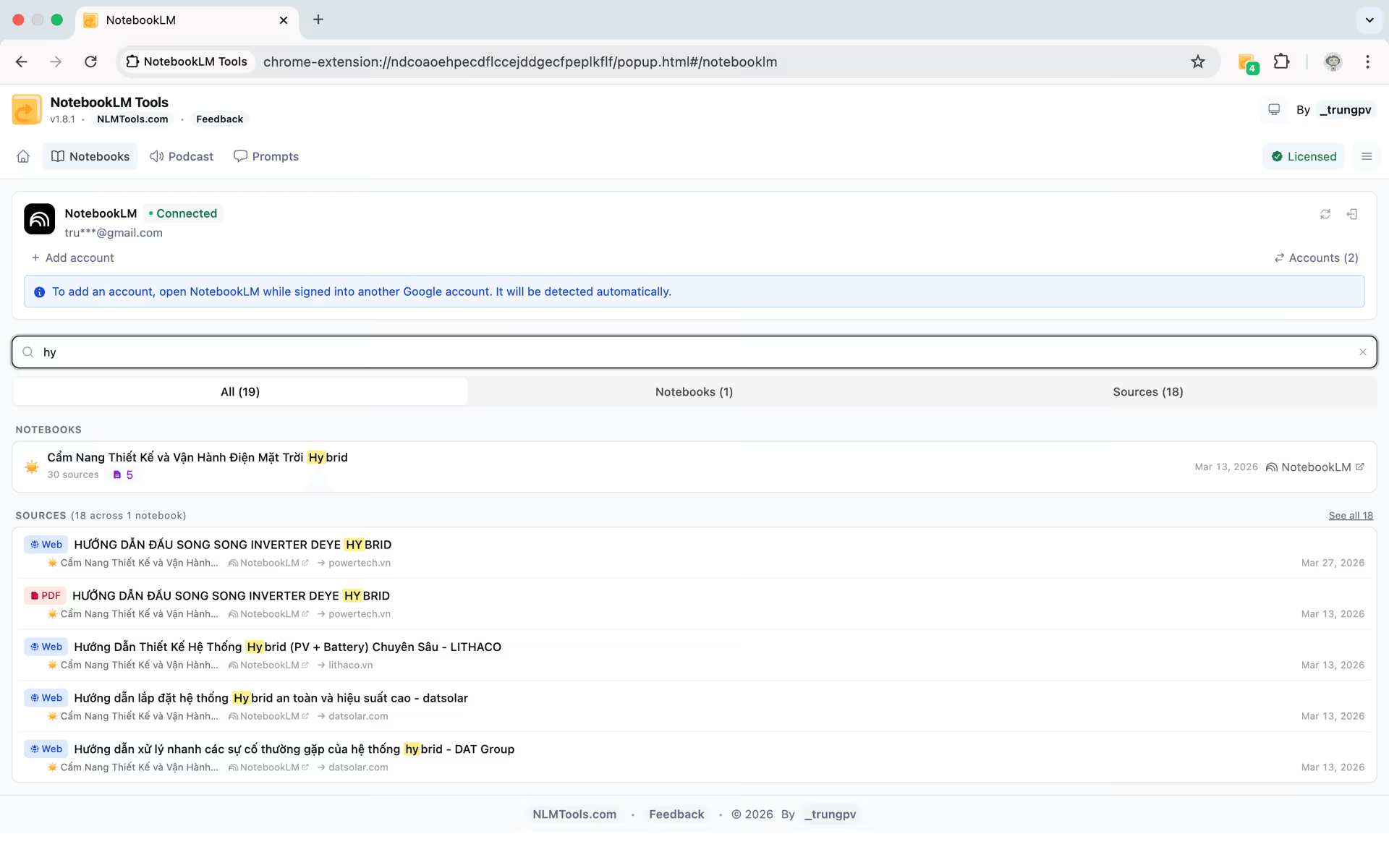
The problem it solves: You need five different extensions to do what this one does.
This is the newer one that’s been quietly blowing up. Updated May 13, 2026, it’s the most comprehensive NotebookLM extension available right now — 35+ features, all free.
What it includes:
Bulk import URLs, YouTube playlists, and RSS feeds
Folders and tags for notebooks
Cross-notebook search from a single bar
Saved prompt library with /slash commands — save your best prompts and trigger them instantly
Studio item viewer — interact with quizzes, flashcards, slide decks, and mind maps without leaving the page
Full podcast player with playlists and downloads for audio overviews
Multi-account support with colour-coded avatars
Backup and restore notebooks as JSON or ZIP
Language switching across 80+ languages
Dark mode
💡 If you only want to install one extension from this whole list, this is the one. It replaces the need for a standalone language switcher and overlaps with several other tools here.
Cost: Free 🔗 NotebookLM Tools — Chrome Web Store
5. Kortex
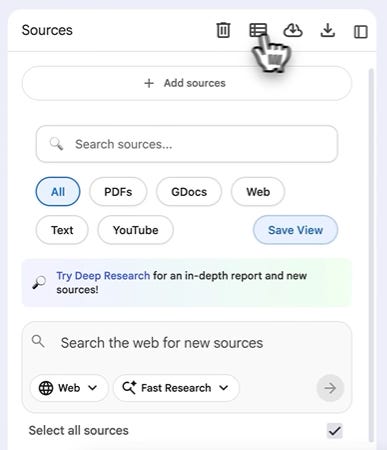

The problem it solves: Google Docs don’t auto-refresh in NotebookLM. AI conversations from other tools can’t get in. And your audio overviews are trapped in the app.
Kortex is the veteran of this list and still does things nothing else matches:
Bulk Google Docs sync — one click refreshes every Google Doc source in a notebook instead of doing it manually one by one
Import AI conversations from ChatGPT, Claude, Gemini, and Perplexity directly into NotebookLM — it adds a button to those interfaces
Podcast RSS feed — your audio overviews become a real podcast feed you subscribe to on Apple Podcasts or Spotify. They download to your phone automatically. No opening the app.
Filter sources by type — show only PDFs, only YouTube videos, only articles, inside any notebook
Bulk export of Studio outputs and chat history
⚠️ Pricing is different from what older videos show. It’s now Free / Pro at $3.75/month / Lifetime at $99 (not $49 as quoted in older content). Some users have reported reliability issues with certain features — start on the free tier before committing to paid.
Cost: Free tier available. Pro: $3.75/month. Lifetime: $99 one-time.
6. NotebookLM Ultra Exporter
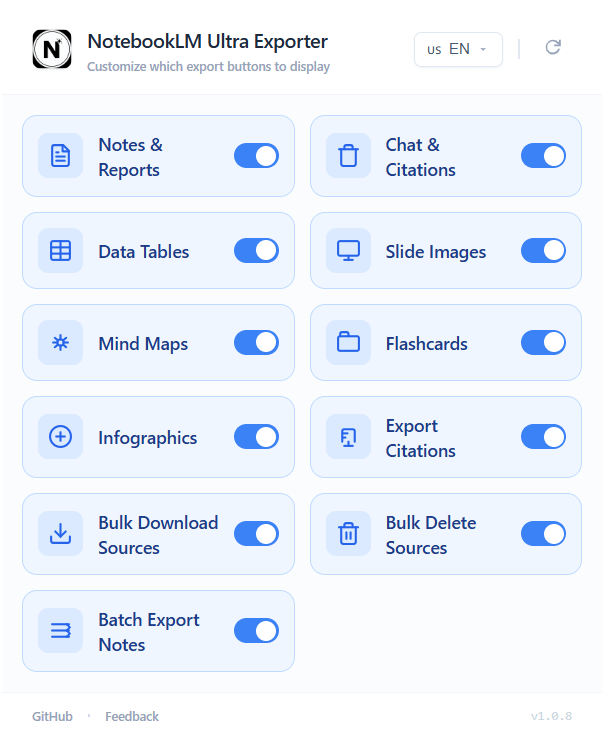
The problem it solves: Getting your work out of NotebookLM is surprisingly painful. There’s almost no native export functionality.
This adds export buttons to every asset you create in NotebookLM. Reports, slides, infographics, flashcards, mind maps, chat history — all downloadable in multiple formats.
Full export breakdown:
Reports and notes → Markdown, Word (.docx), PDF — batch export supported
Slide decks → individual files, merged, PowerPoint, or video
Infographics → image formats with optional custom watermark
Mindmaps, flashcards, data tables → multiple formats
Chat history → multiple formats
Everything processes locally. Nothing leaves your browser.
💡 If you create anything in NotebookLM that you plan to publish or share, this extension is non-negotiable.
Cost: Free 🔗 NotebookLM Ultra Exporter — Chrome Web Store
7. NotebookLM Mindmap Extractor
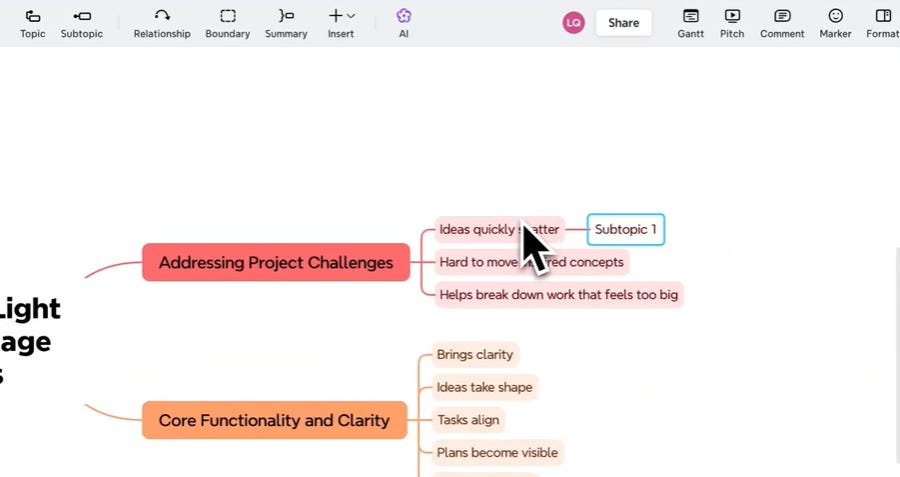
The problem it solves: NotebookLM only lets you download mind maps as PNG images. You can’t edit a single node.
This extension detects the mind map you’ve generated and exports it as a FreeMind (.mm), OPML, or XML file. Open it in XMind, Freeplane, or any mind mapping tool and edit it freely — move nodes, add branches, restructure the whole thing.
There’s also a companion option: NotebookLM MindMap Exporter by XMind adds “Copy All” and “Edit in XMind” buttons directly inside NotebookLM. One click and your map opens in XMind ready to edit. Updated May 8, 2026.
💡 If you use mind maps for studying, planning, or research — one of these is for you. Both are free.
Cost: Free 🔗 NotebookLM MindMap Exporter by XMind — Chrome Web Store
8. ExtendLM — NotebookLM Extension
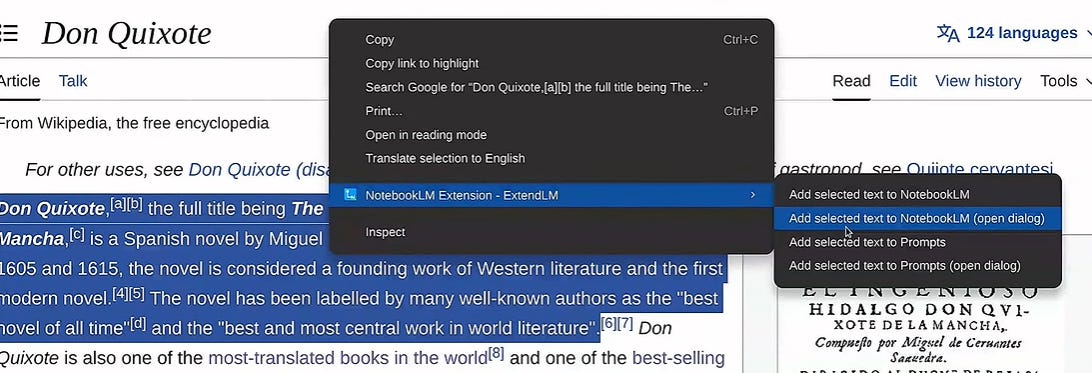
The problem it solves: You want one extension that handles importing, language switching, audio playlists, and a prompt manager — without paying for anything.
ExtendLM is the dark horse on this list. Updated May 22, 2026, it’s been actively developed and packs a lot in for free:
Import any webpage — even pages behind paywalls — as PDF, text, or URL
Import YouTube videos, channels, and playlists in one click
Record audio directly from your microphone or browser tab and upload it as a source
Language switcher built in
Prompt manager with tags and shortcodes
Audio playlists for your overviews
💡 This one overlaps with several other extensions here. If you want a single free extension that handles importing, audio, and prompts without paying for Kortex — this is the alternative.
Cost: Free 🔗 ExtendLM — Chrome Web Store
Bonus: Clone Any YouTube Creator Into NotebookLM
This workflow deserves its own mention.
Using YouTube to NotebookLM or the Web Importer’s bulk URL feature, you can pull an entire creator’s video library into one notebook. Hundreds of videos. Every transcript. All searchable and conversational.
Then ask it things like:
“What’s this creator’s content framework?”
“Give me 10 video ideas in this style”
“Summarise everything they’ve said about X”
💡 I use this for competitive research, for studying creators I admire, and for building content systems. It’s one of the most underrated NotebookLM workflows out there.
Quick Picks by User Type
Just starting? Bookshelf + Web Importer. Get organised first.
Heavy researcher? YouTube to NotebookLM + Ultra Exporter + NotebookLM Tools.
Creating content from NotebookLM? Ultra Exporter + Mindmap Extractor.
Want one free extension that does most of it? NotebookLM Tools.
Want the deepest setup? Kortex on top of everything — especially for the podcast feed and AI tool integration.
Google built the engine. The community keeps building the rest.
Pick what fits how you actually work. You don’t need all eight.
-Aniket
Grow With AI